

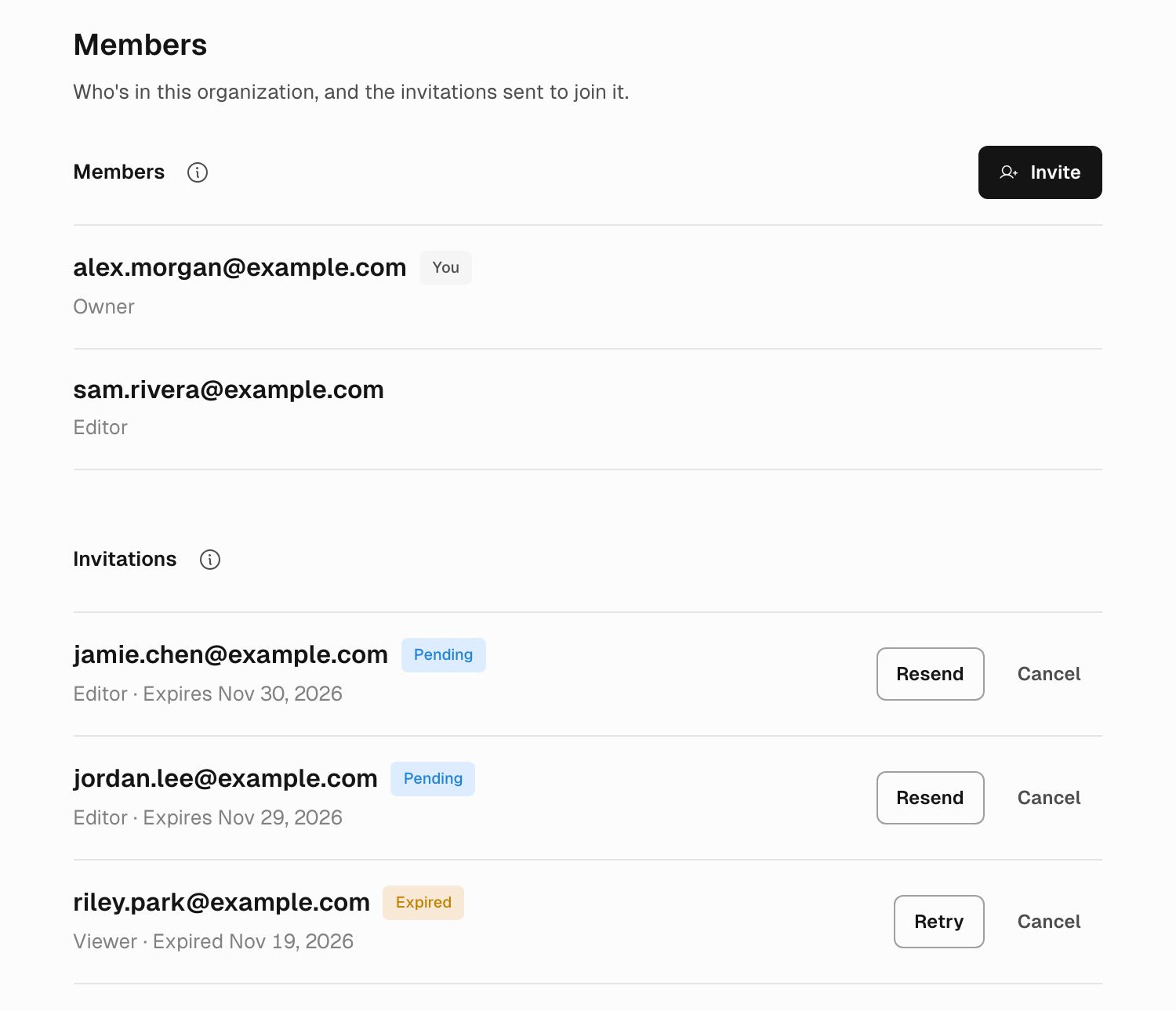
Members for a demo organization, Maple Ridge Advisors, as its owner sees it.
1. Invite someone
Select Invite, enter the person’s email address, and choose a role:
Then select Send invitation. Tilt emails the person a link that works for 7 days. They join when they accept it.

Inviting a colleague as an editor.
2. Check an invitation’s status
Each invitation under Invitations shows its role and one of two statuses:- Pending: the link works until the date shown.
- Expired: the link stopped working on the date shown. Retry it to open it again.
3. Resend or retry an invitation
Select Resend on a pending invitation, or Retry on an expired one. Tilt emails the same link again, and it works for 7 more days from then. A line at the top of the page confirms the new expiry date. Use it when someone can’t find the email or let the link expire. Both emails carry the same link, so either one works. Tilt won’t retry an invitation after a newer one went to the same email. Resend the newer one if it’s pending, or invite the person again.4. Cancel an invitation
Select Cancel on the invitation, then Cancel invitation to confirm. The link stops working, and the invitation leaves the list. You can invite the person again later.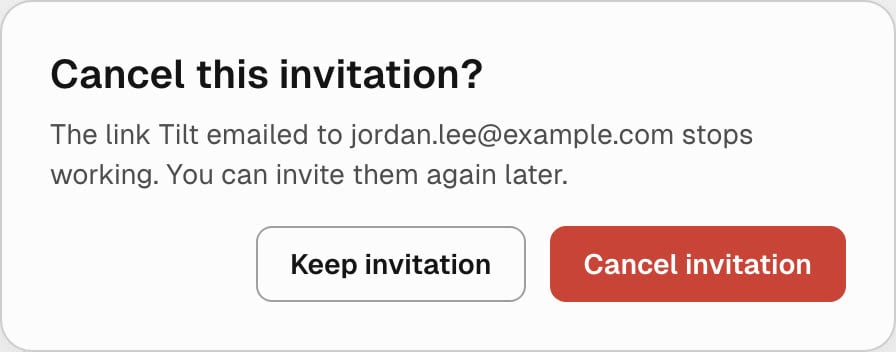
Confirming a cancellation.
What the invited person sees
The link in the email opens a page in Tilt. The person signs in to Tilt with the email address the invitation was sent to. What the page shows depends on the invitation:
The invitation page before the person answers.

The same link after the owner canceled the invitation.
Ask Tilt Agent
In a chat in your organization, Tilt Agent can list the members and the pending or expired invitations, invite someone as an editor or a viewer, resend or retry an invitation, and cancel one. For example, ask “Which invitations are still waiting?” or “Riley’s invitation link expired. Can you send it to them again?” It can change invitations only when you’re an owner. Tilt Agent doesn’t invite owners or send an owner invitation again. Use Settings > Members to invite an owner, and to resend or retry an owner invitation. Sending an invitation again keeps its role; to change the role, cancel it and invite the person again.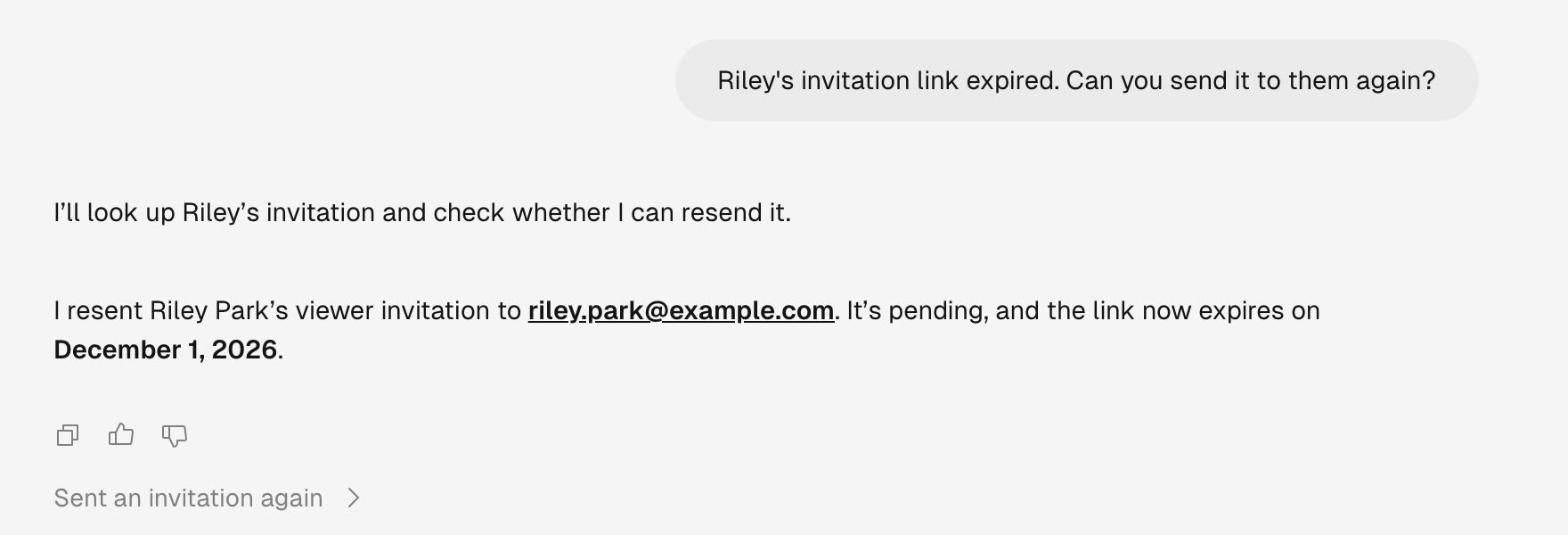
Tilt Agent sending an expired invitation again.