

To open them, click Clients, open the client, and select the account by name. A prospect’s accounts don’t show these sections.
Each row has a button that starts its run. While the run works, the button reads Comparing…. A run can take a few minutes. The result opens below the row. Close it with the close button in its corner, or click the row’s button again, such as Compare again, to run it with what’s entered now.
1. Break down the account against its benchmark
In Why this account differs from its benchmark, click Break down on What moves it away from its benchmark.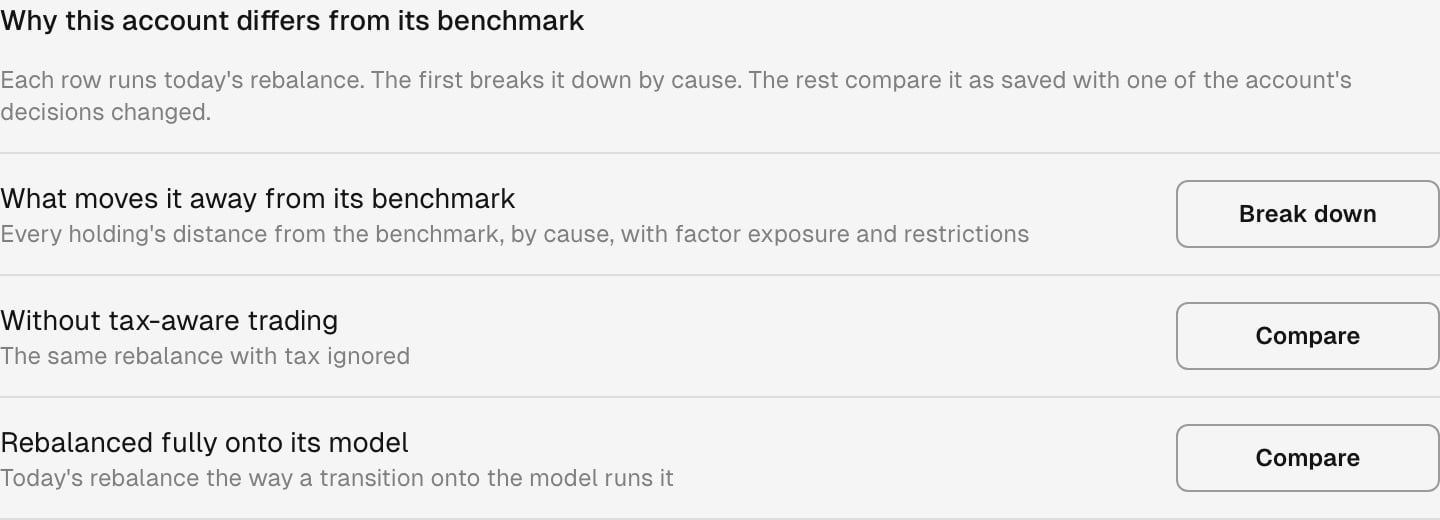
An account with no saved tilts and an assigned model.
The causes are:
2. Change one of the account’s decisions
The rest of Why this account differs from its benchmark compares today’s rebalance as saved with one decision changed. Click Compare on a row:
The comparison puts the account As saved beside the account with the change, and shows the Difference:
Trades the change adds lists each ticker whose trade differs, with the trade and the ticker’s weight both ways. A difference too small to show reads No change. A figure Tilt doesn’t know, such as tax on an account without tax lots, reads —, and so does its difference.
3. Try your own change
Try a change compares today’s rebalance as saved with a change you enter. Each row runs on its own:
The ticker search offers the tickers today’s rebalance can change: the account’s holdings and its benchmark’s. When a change names a ticker outside them, the row names the ticker.
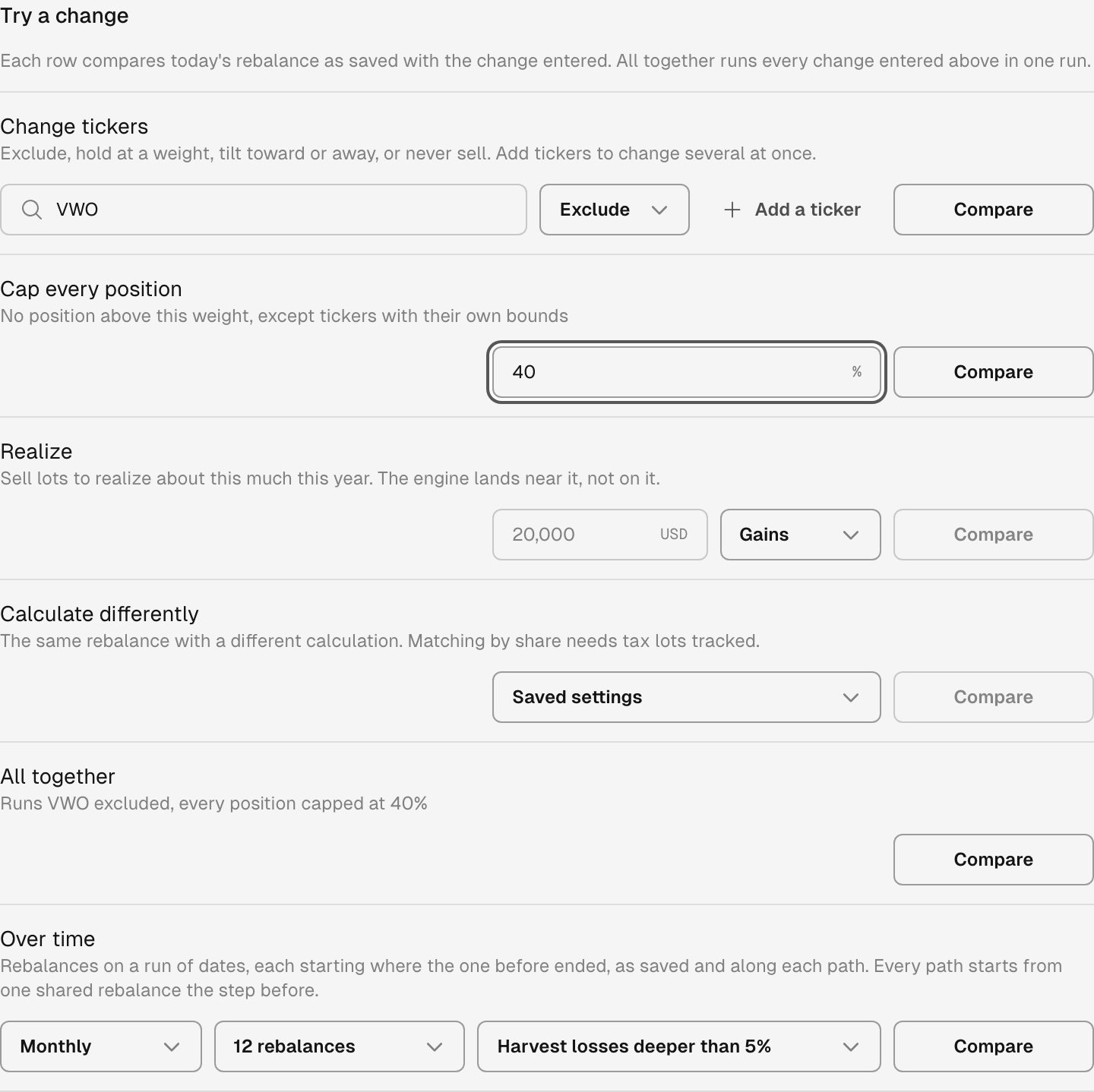
Excluding VWO and capping every position at 40%, ready to compare.
4. Compare rebalances over time
Over time runs a series of rebalances on dates a month or a quarter apart, ending today. Each rebalance starts where the one before ended. The series runs once as saved and once along each path you choose.- Choose Monthly or Quarterly, and how many rebalances.
- Open Paths to compare and choose up to seven paths. A path follows a different calculation, such as Harvest losses deeper than 5%, Harvest every loss, Rebalance onto the model or Trading costs counted, or another of your firm’s saved models.
- Click Compare.
When a run doesn’t finish
The row says why. Two reasons need something outside the row:Ask Tilt Agent
Tilt Agent runs the same simulations and answers with the same results. Open Chat with the account open, so Tilt Agent knows which account you mean, or name the account in your question. For example:Why does this account differ from its benchmark?
What would excluding VWO do to this account’s tax and tracking error?
What would rebalancing this account fully onto its model trade?
Compare three monthly rebalances of this account as saved and harvesting every loss.To keep a change, save it on the account’s Setup tab. Tailor an account covers the settings there.