

1. Read the current account
Ask Tilt Agent: “Show Taylor Morgan’s account, its portfolio assignment, effective sleeve weights, and account-specific settings.” Check the organization, client, and account in the response. A portfolio name alone does not establish which account a setting affects. If the portfolio is missing, ask: “Propose assigning Aggressive Portfolio to this account. Show its effective allocation before saving.” Confirm the exact assignment, then ask Tilt Agent to read back the saved portfolio and weights. Build a model portfolio explains the shared structure.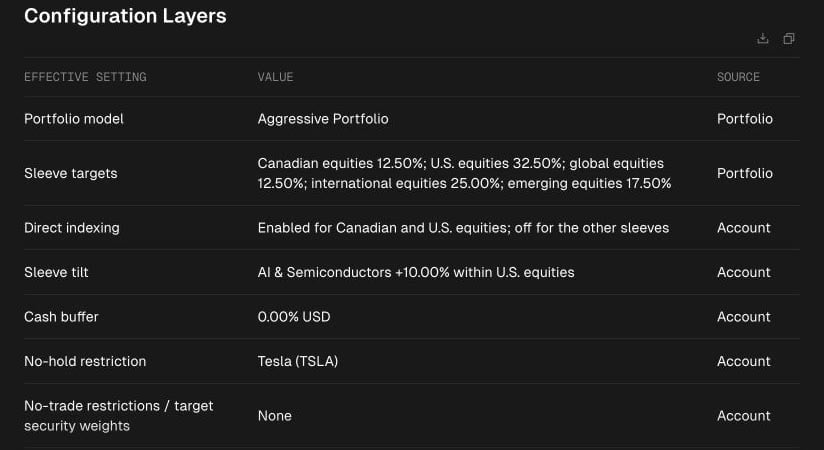
Tilt Agent shows the five model sleeve targets alongside Taylor's account-level implementation settings and their sources.