

Drift against the model
The section is titled Against and the model’s name. It opens with a sentence on the account’s status and when it was checked. When the account needs attention, an Open Optimization button opens the account’s Optimization tab.
The table below the tiles lists each sleeve with its Target, Current weight, Drift, and, when the account’s tracking-error check is on, its Tracking error against the sleeve’s benchmark and that limit. Sleeves inside a composite, and Tilts set on a sleeve, have their own rows. Drift limits apply only to the model’s top-level sleeves. Models and benchmarks explains how those rows are built.
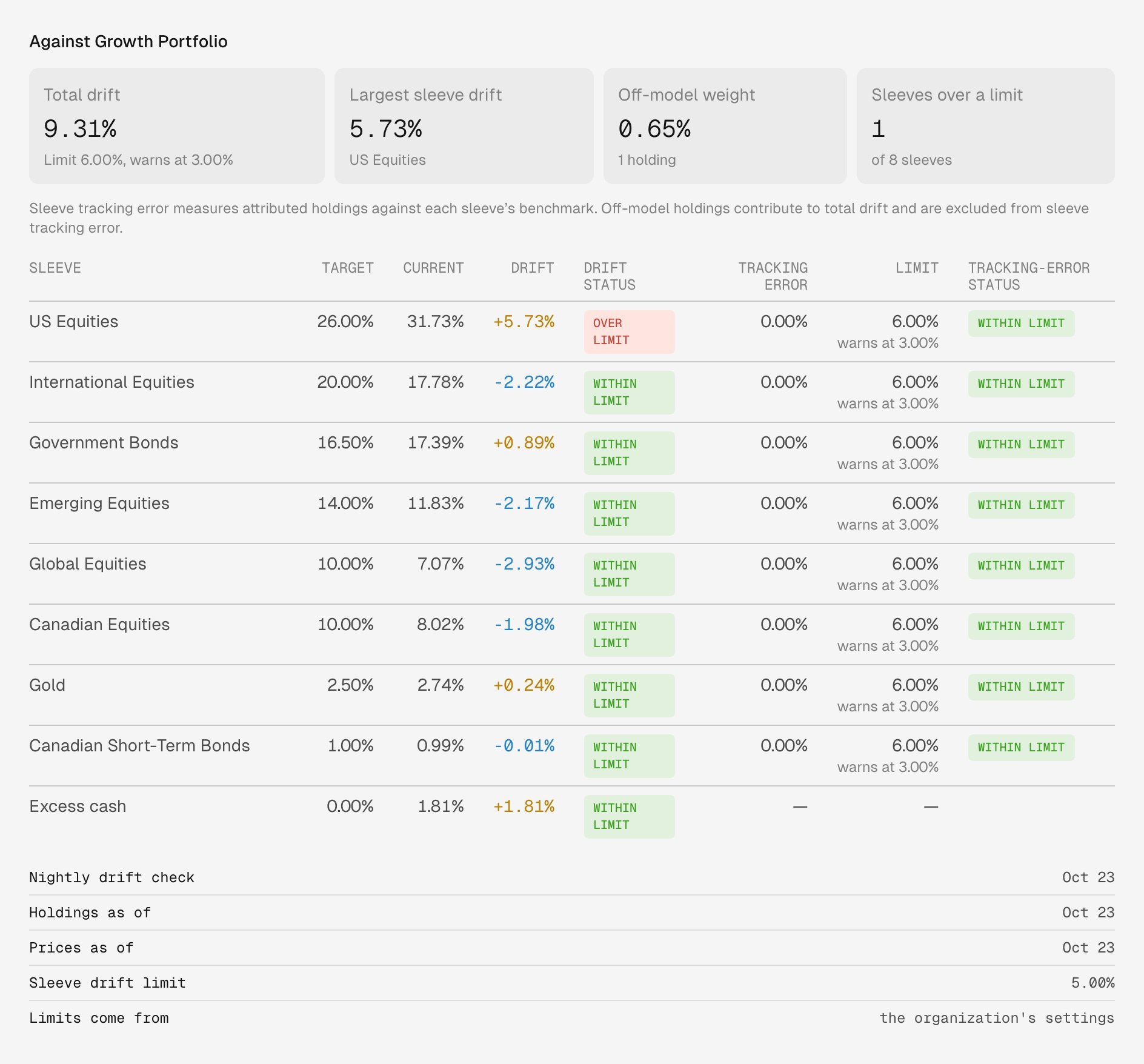
Jordan Lee's Roth IRA in Demo Organization against its model, Growth Portfolio. US Equities is over its sleeve drift limit.
Realized gains and the capital gains budget
A capital gains budget is the net capital gains a client’s accounts may realize in a year. Click Set budget to set it on the client’s household, which covers every member without a budget of their own, or on the client alone. Tax-sheltered accounts don’t count toward it. The tiles show the Budget, the Realized total so far this year, and what’s Remaining. A line below lists the accounts that count toward the budget.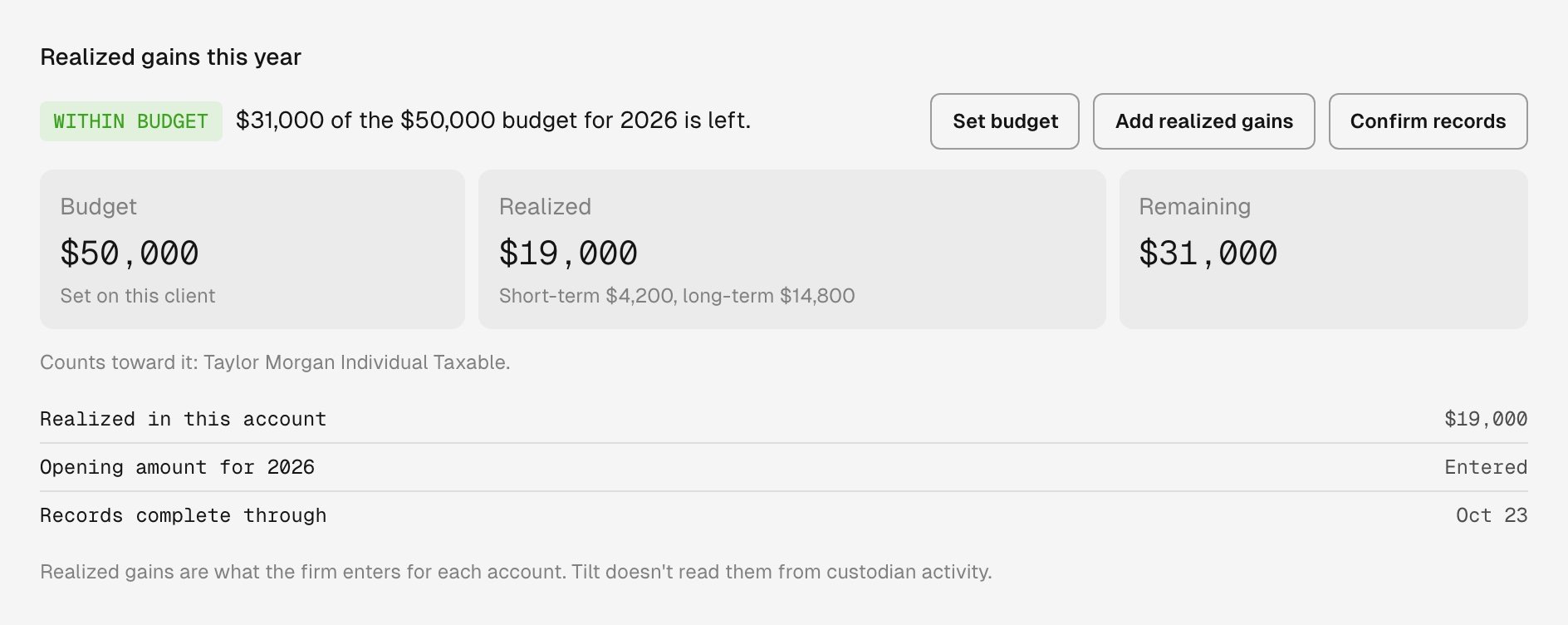
Taylor Morgan's Individual Taxable account in Demo Organization, with a $50,000 budget set on the client.
- Click Add realized gains. The account’s first entry for the year is its opening amount: the net short-term and long-term gains it realized from January 1 through a date you choose. Later entries add the gains realized on a date. Enter a loss as a negative amount, and note where the figures came from, such as a custodian report.
- Click Confirm records and enter the date the account’s records are complete through, with a note on how you checked.
Recent transactions
The table lists each transaction’s date, type, ticker, quantity, price and amount, as the account’s brokerage sent them. A line underneath names the brokerage and when Tilt last read it. When there are no rows, a sentence says why: the account isn’t linked to a brokerage account, the brokerage doesn’t send transaction history, or Tilt hasn’t read it yet.Allocation by asset class
The table lists each asset class’s Target, Current weight, and the Difference between them. The target is the portfolio the latest nightly drift check proposed for the account, which follows the model and the account’s own settings. If that proposal didn’t save, the section has no target to compare with. A fund that holds more than one asset class counts toward each. Cash includes cash balances and holdings classified as cash. Unclassified includes funds and other holdings Tilt has no asset-class data for, and assets Tilt can’t trade. A stock without asset-class data counts as equity.Ask Tilt Agent
Open Chat and name the account, for example:Why is Maya Patel’s Revocable Trust over its drift limit, and which sleeves are furthest from target?