Use a rebalance review to compare a client account’s current holdings with its assigned portfolio. This example follows Maya Patel’s Revocable Trust and the Growth model in the synthetic Evergreen Advisory practice. An optimization saves proposed holdings and trades for your review.

1. Check account readiness

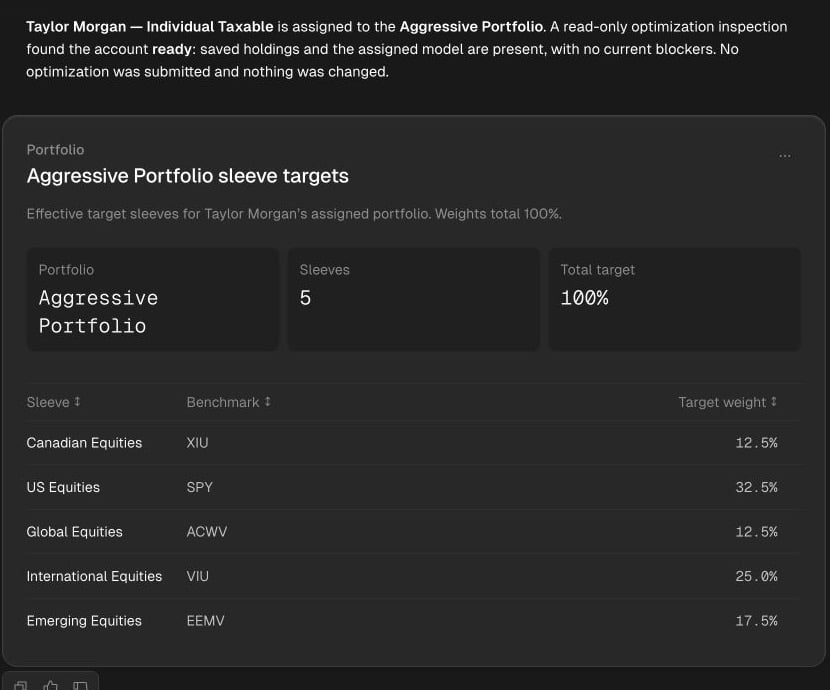
Open the client from Clients and select the account by name. In Holdings, inspect saved positions, tax lots, and cash. In Setup, check the assigned model, sleeves, and settings. Apply or discard queued setup changes before requesting a run. The Optimization tab identifies missing holdings, model, or sleeves and offers a link to the relevant tab. Ask Tilt Agent: “Check whether Maya Patel’s Revocable Trust is ready for optimization. Show its saved holdings, assigned model, and any blockers. Do not run an optimization yet.” Check the client and account identity, holdings freshness, assigned model, and effective allocation. Resolve any missing holdings, assignment, or configuration blocker before proceeding. If an earlier completed proposal is still current, ask to review it first.
Maya Patel's Revocable Trust selected on the Optimization tab, with a dated Proposal link and an Optimize button.

Optimization separates the link to an existing proposal from the action that starts a new run.

2. Request an optimization

When the saved inputs are right, select Optimize on the Optimization tab, or ask: “Run an optimization for Maya Patel’s Revocable Trust using its saved Growth model and current settings.” Either action requests a run. If the account or inputs changed since your readiness check, inspect them again before submission. Tilt Agent follows the run until it finishes and retains the proposal. A pending run has no result to review yet. If the run fails, inspect the stated reason before deciding whether to request another run. The account page follows the job’s status. When a run started there completes while you are still on that page, Tilt opens its proposal. You can also open the dated Proposal link yourself.
3. Review the saved proposal

Check the client and account below the proposal’s title. Review the headline metrics, then open Trades for order sides, tickers, types, and amounts, and Holdings for the proposed target. Tax details and Trade attribution appear when the result includes that evidence. Scroll through the full lists before making a decision.
Maya Patel's proposal with a Custodian trading unavailable notice, NAV and turnover metrics, Trades, Holdings, and Tax details tabs, and the beginning of the proposed order list.

Maya's saved proposal shows summary metrics and proposed trades. The notice identifies a missing custodian link before orders can be sent.

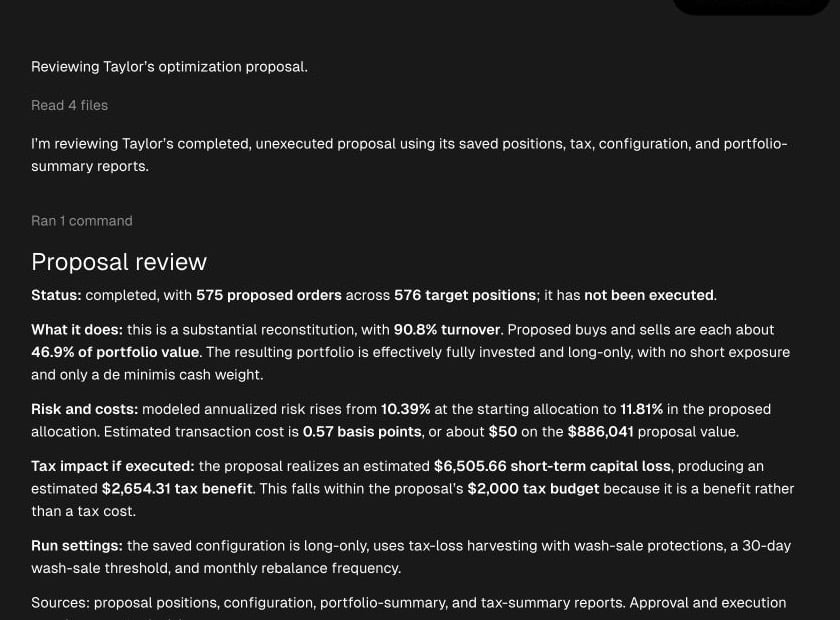
Ask: “Explain this proposal’s turnover, tax impact, and constraints using its saved run settings.” Settings used by a completed run can differ from the account’s current setup. Read proposal reports for the evidence behind those answers. A completed proposal can have no trades. That is a valid no-action outcome. If Tilt Agent provides a link to the account’s proposal review view, opening it lets you inspect the persisted proposal. It does not approve or execute it.

4. Make a separate trade decision

Reviewing the proposal leaves its orders unsubmitted. Custodian trading requires an eligible linked account and access to the custodian connection. If Tilt shows Custodian trading unavailable, resolve the stated connection or account-link issue before sending orders. Review the exact account, orders, and any custodian warnings before using the trading actions. After submission, inspect the instruction and order statuses. A submission receipt establishes that orders were sent; check fill status to establish execution. In a daily review, Approve and send… opens a confirmation for eligible custodian orders. Confirming sends those orders and records approval. Accounts without a custodian account are approved only, with no trades placed for them. For an approval-only selection, Approve… opens a confirmation that records approval without placing trades. Check the confirmation’s account scope and order details before proceeding.