

See a record’s tags
Tags show beside each household, client, and account wherever it already appears: rows on Clients, a household’s members and account cards, a model’s Accounts tab, and the title of a client’s or account’s page. Each place shows the record’s own tags. To add or remove a tag, edit Tags in the record’s Notes, or ask Tilt Agent: “Tag the Whitaker Joint Taxable account as onboarding.” Keep client documents and facts in Notes covers fields.Filter a list to one tag
- Open Clients and choose a tab, such as Households or Clients. For a model’s accounts, open the model and select Accounts.
- Open the filter that reads Any tag and pick a tag. Pick Any tag to show every row again.
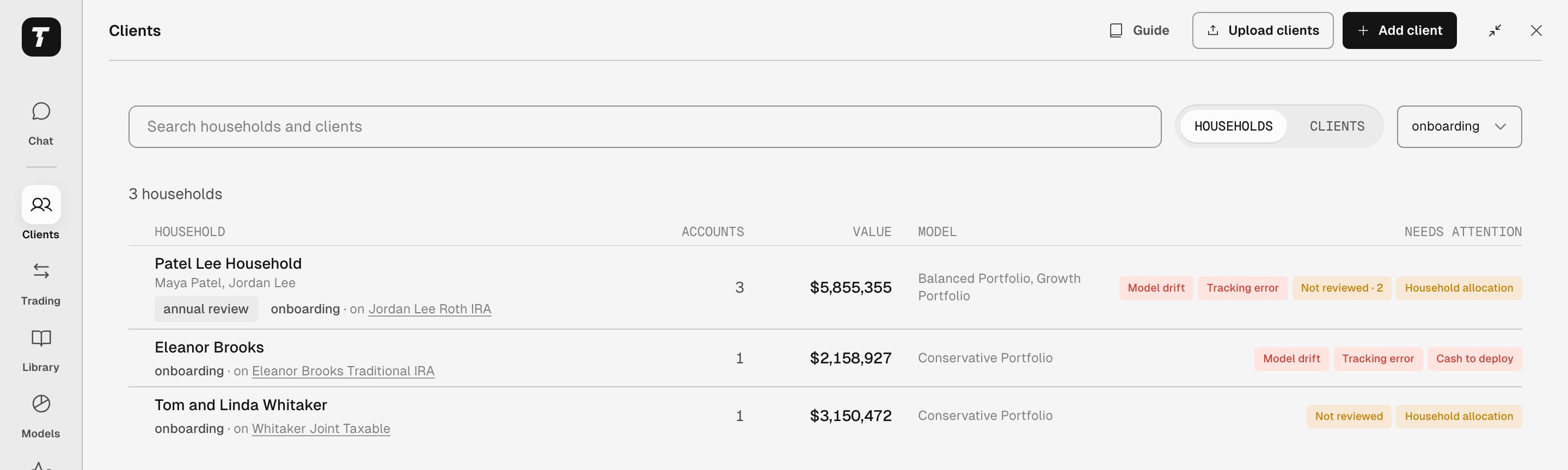
Households filtered to onboarding. Each household matched through one of its accounts. The line under its name says which.
Read why a row matched
A row matches when the tag sits on its own record, on a record above it, or on a record below it:- On Households, a household matches when the household, the firm, one of its clients, or one of their accounts carries the tag.
- On Clients, a client matches when the client, its household, the firm, or one of its accounts carries the tag.
- On a model’s Accounts, an account matches when the account, its client, its household, or the firm carries the tag.
Select a record’s name in the line to open it. On a phone, the names are plain text, so open the row instead. A row whose own record carries the tag shows the tag beside its name and no line.
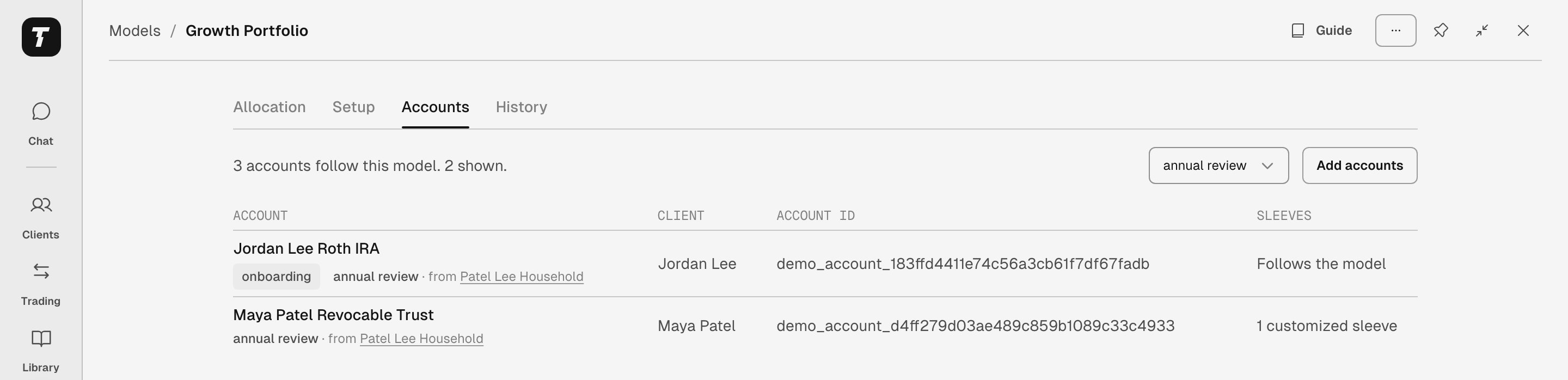
Growth Portfolio's Accounts, filtered to annual review. Both accounts carry the tag from the Patel Lee Household.
Ask Tilt Agent about the list
Tilt Agent sees the filter on your page. The line above the message box names it, such as Looking at Clients · onboarding, so you can ask “Which of these accounts are on the Growth Portfolio?” From any chat, ask “Show me the households tagged onboarding” or “Which Growth Portfolio accounts are tagged annual review, and why?” Tilt Agent lists the records, says where each tag sits when it isn’t on the record itself, and ends with a link that opens the filtered list.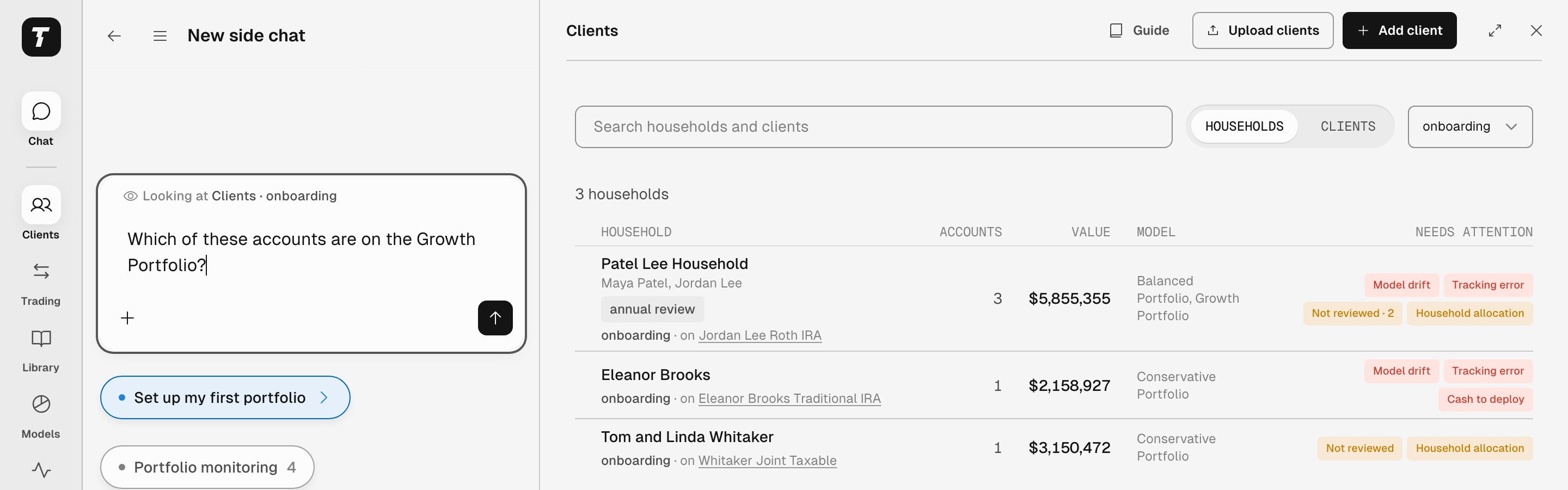
The message box names the filtered list on screen, so a question about these accounts means the three onboarding households.