

1. Add the prospect
Open Clients and select Add prospect.- Enter the prospect’s Name.
- Under Positions file, select Choose file and pick their file.
- Enter or check each account’s Account name and Tax account type. Tilt fills in the type when the account’s name states it, such as “Roth IRA” or “Rollover IRA”. For a name such as “Individual” or a trust’s name, choose the type yourself. The type decides whether moving the account is taxed.
- Review the summary, then select Add prospect.
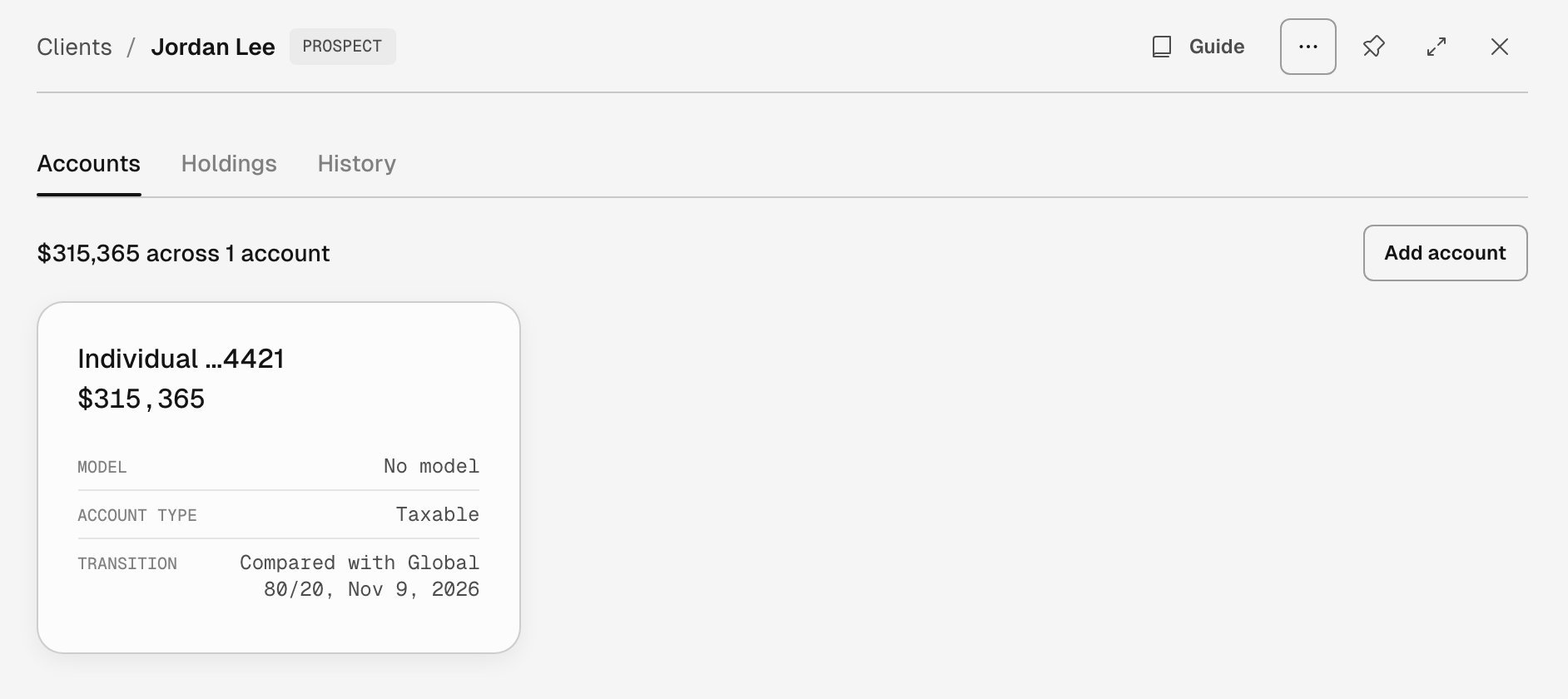
The prospect Jordan Lee after one transition analysis. The account card shows no model and the latest comparison.
Positions files Add prospect reads
For a statement from another custodian, or a statement PDF, ask Tilt Agent to add the prospect.
Check the summary
For each account, the summary shows the positions Tilt will model, cash, positions it keeps as-is, and the total value. Three cases change the transition’s figures: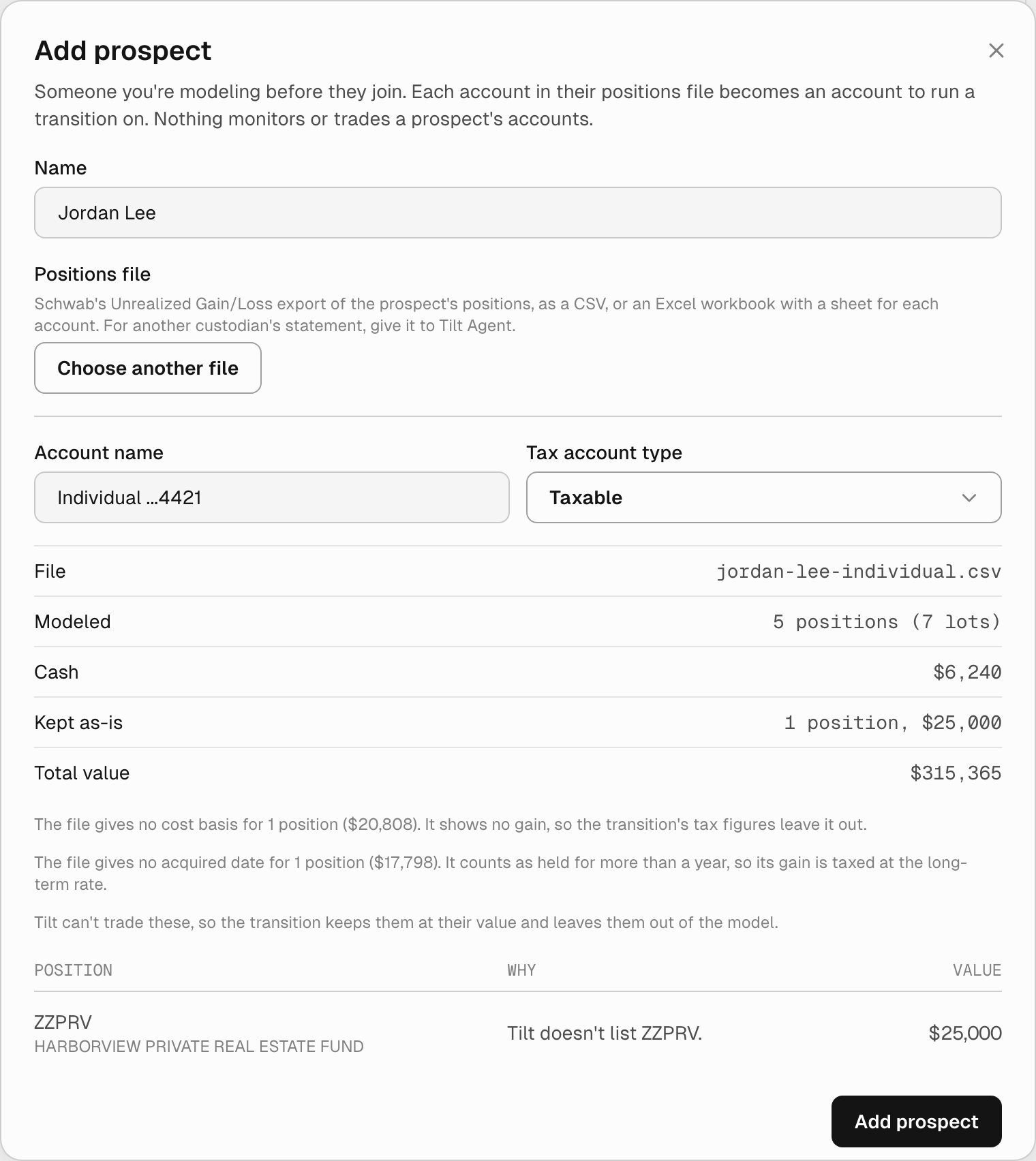
A Schwab export for one taxable account. One position has no cost basis, one has no acquired date, and a private fund Tilt doesn't list is kept as-is.