

1. Read the morning signals
Check these three places each morning: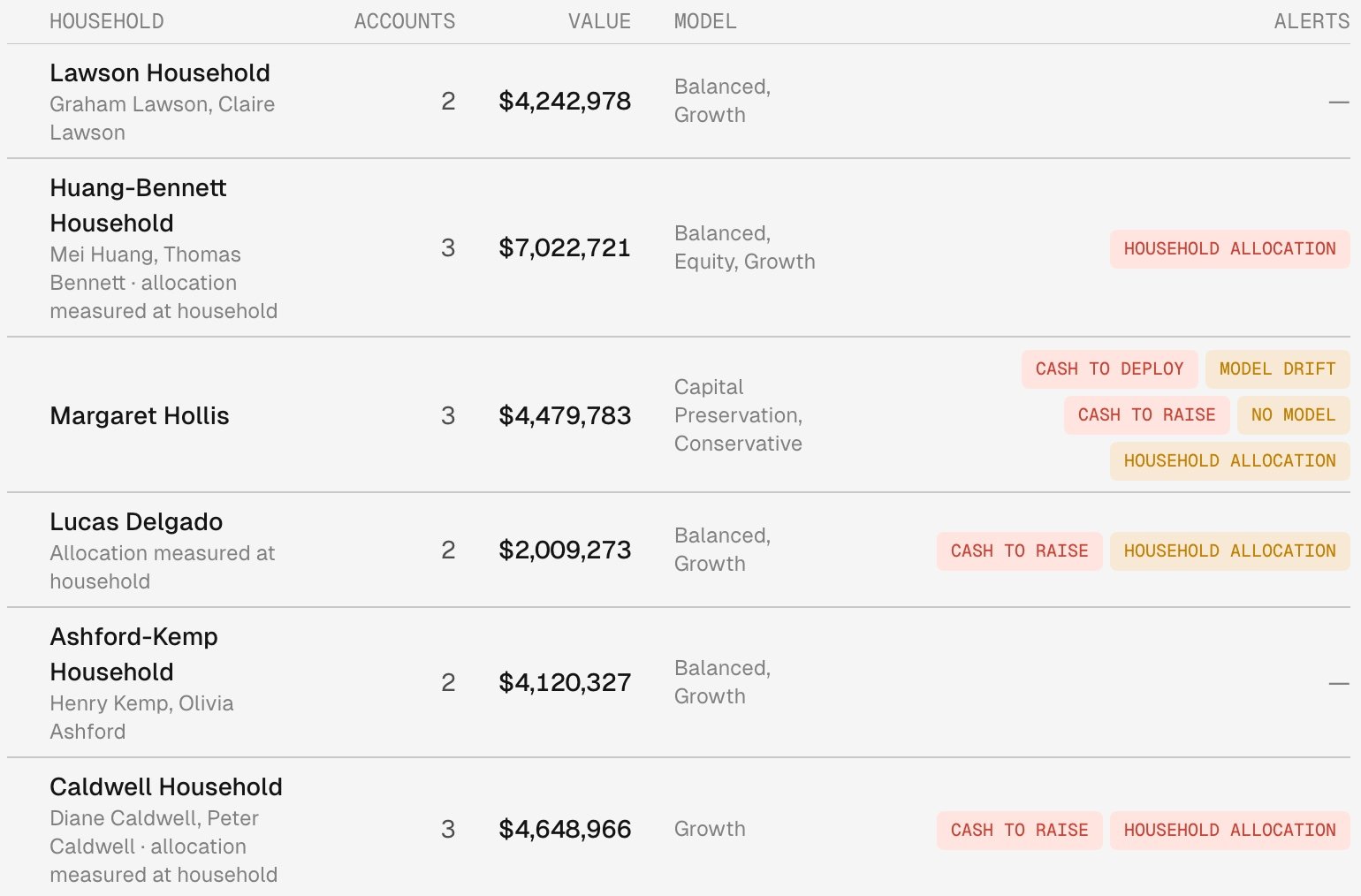
Households optimized together read "allocation measured at household", with a Household allocation alert when the family needs attention.
Read the Monitoring table
Open the household’s Optimization tab to see the result behind the alert. Monitoring sits below Household proposal and Household optimization.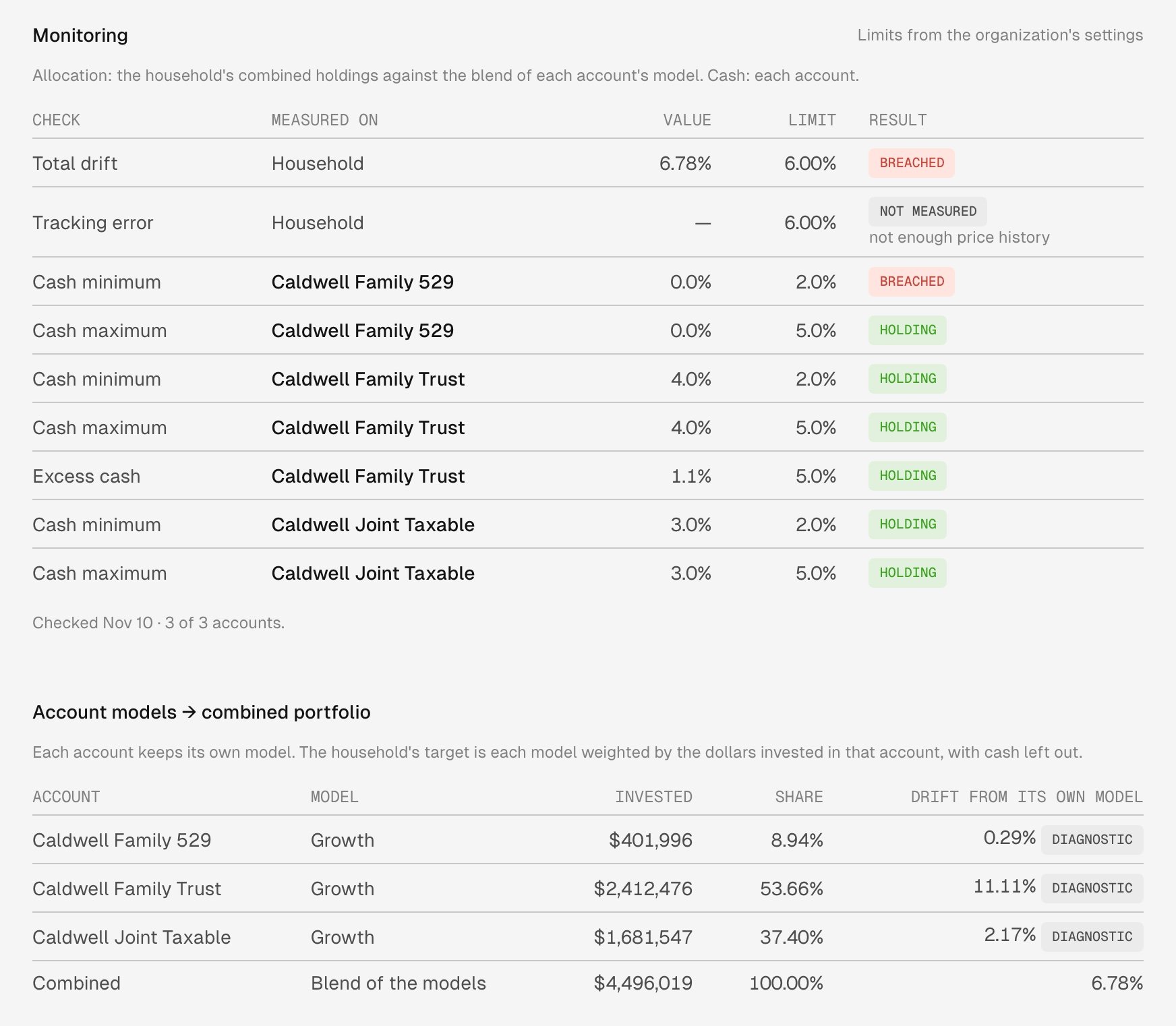
The family is over its limit at 6.78%. Each account's own drift is shown and marked Diagnostic.
Monitoring shows no result
Monitoring reads “Not checked as a whole yet” until the first check after the family’s accounts are optimized together. Not measured comes with the reason, and names any account the check couldn’t value. “Not measured: every account holds only cash.” means the family has nothing invested to measure.2. Read an account in the family
Open an account’s Overview to compare it with the family. A notice at the top reads “This account is optimized as part of” the household, with a link to it, and “Optimizing it optimizes every account in the household.” Once the daily check has measured the family, Total drift reads Diagnostic comparison and Sleeves over a limit reads Not enforced at this account, because the family’s result decides. Cash checks stay in force, so an account can still breach on cash. Accounts in a family explains the section.
Mei Huang Revocable Trust's Overview names its household and links to it.
Two drift figures for one account
You can see an account’s own drift read differently from one page to the next. The household page compares fund by fund, without cash. Trading compares top-level sleeves and counts off-model holdings and excess cash. An account’s Overview shows the Trading figure. Caldwell Family Trust reads 11.11% on the household page and a different figure in Trading. Neither figure decides the result, because the family’s drift does.A fund is out of range in one account only
On a household’s Rebalance plan page, Current state marks each account against its own ranges, and The family model marks the family against the family’s. The two marks can differ: the family can be inside its range on a fund while one account reads out of range on it. A family plan measures the family, so the mark on the account doesn’t by itself call for a trade, and the next family plan may still buy that fund in the account. Each fund has an allowed range explains the ranges.3. Review the next family plan
After the daily check, Tilt plans each family as one, so a proposal can be waiting for you without Optimize. While planning runs, To review says it’s planning the households optimized together, and the Morning proposal summary notification (“N proposals ready to review”) can go out before those plans finish, saying how many accounts are still optimizing.- Trading > To review lists a family that’s breached or has a breached account.
- A drifting or holding family isn’t listed. Open the household’s Optimization tab and select Latest proposal under Household proposal.
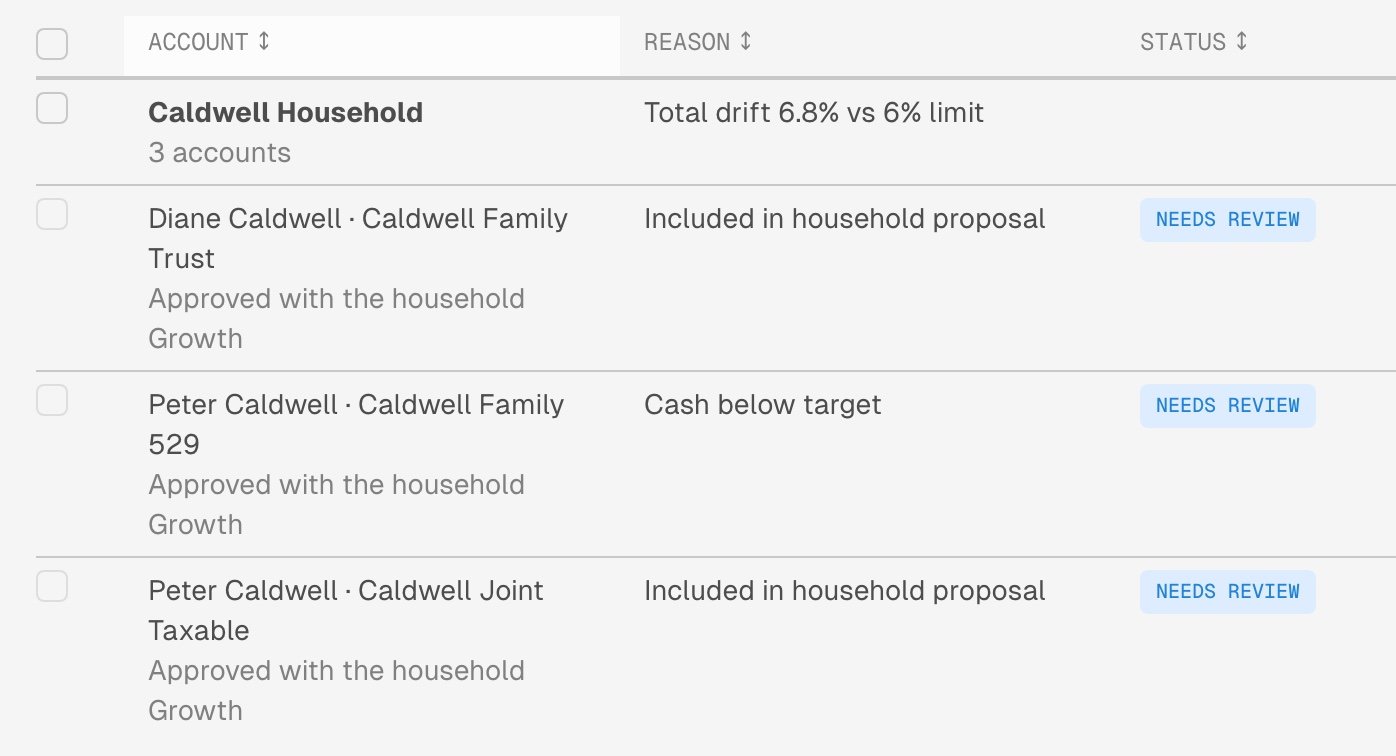
The household's row carries the family's reason, and each account reads Approved with the household.
Tilt provides portfolio technology, not investment, tax or legal advice, and is not a registered investment adviser or broker-dealer. The advisor makes all investment decisions, including whether to accept a proposal and submit trades, directly or through approval rules the advisor configures. Trades are executed through the client’s custodian. Estimates depend on the data and assumptions recorded for the account; confirm the client’s tax treatment with a qualified tax professional.