

Save a document from chat
After you draft a document with Tilt Agent, such as an IPS, ask it to save the draft to the record it belongs to: “Save it to the Okafor household’s Notes.” Tilt Agent saves the draft as a page on that record and links to the page in its reply.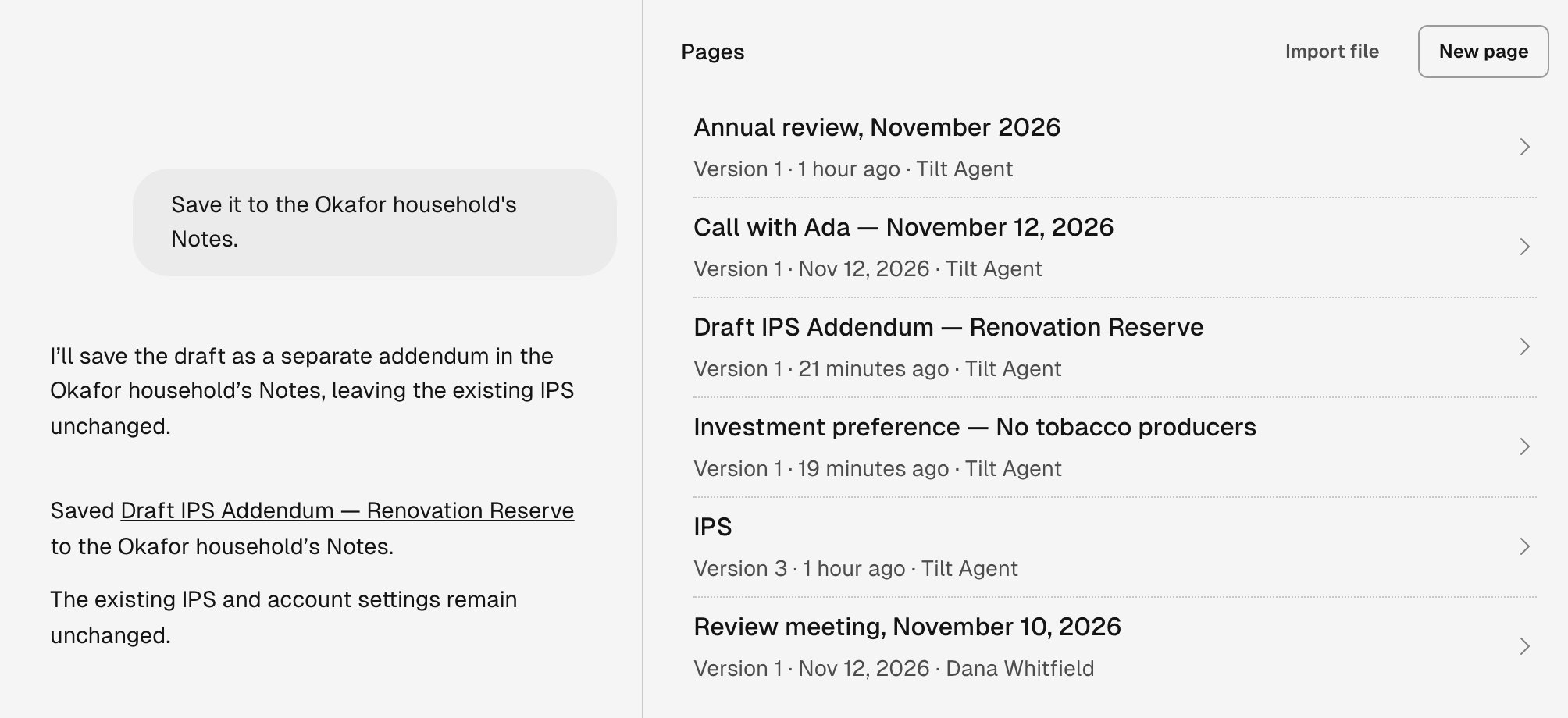
Tilt Agent saves a drafted IPS addendum as a new page on the Okafor household. The household's Notes list it as version 1.
Import a file
- Open the record’s Notes and select Import file.
- Select Choose file and pick one or more files. You can also drop files anywhere on the tab.
- Select Open page once the import finishes.
Open the version Tilt Agent cited
An answer Tilt Agent draws from a page links to the page and section it used. Select the link to open the page at the version Tilt Agent read, with that section marked Cited section. If someone has saved a newer version since, the page says which version you’re reading, with a link to Open the current version. Read the current version before you act on the answer.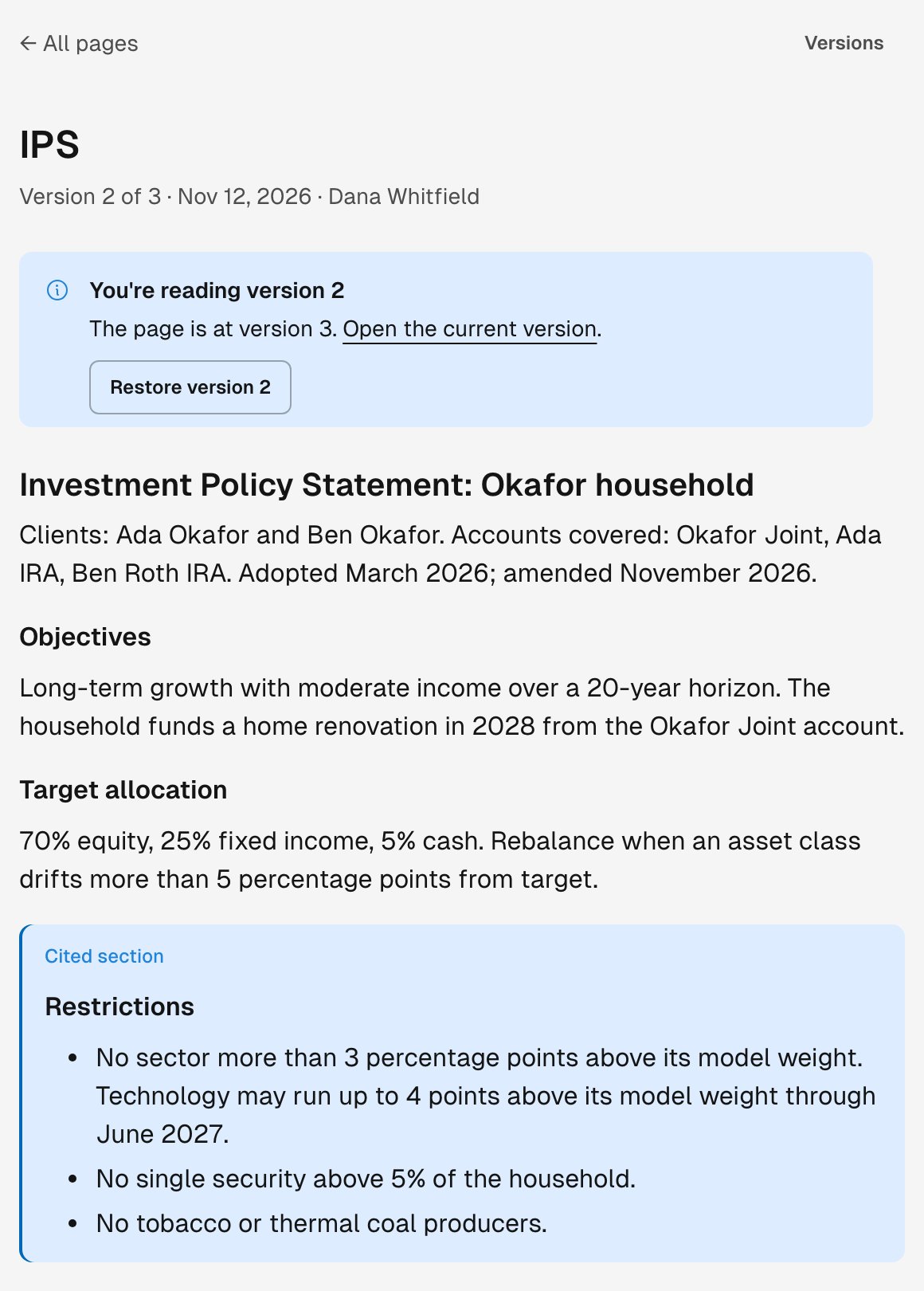
A citation of the Okafor IPS opens version 2 at its Restrictions section. The page is now at version 3.
Keep facts in fields
A field holds one value for each record: text, a number, an amount, a date, a choice from a list, a member of your firm, or tags. Every record has Tags, for labels such as onboarding. Your firm adds its own fields, such as Review tier or Next review. To add one, ask Tilt Agent and name the field, the kind of value it holds, and the records it applies to. A new field appears on every record of those kinds across your firm. To change a value, select Edit, or Set on an empty field, and then Save. Tilt saves the value at once, and the record’s History shows the change. Fields without a value fold under a line that counts them, such as Show 2 empty fields.Confirm values Tilt Agent set
Unconfirmed marks a value no person has confirmed. Tilt Agent leaves a value unconfirmed when it reads the value from a page or an imported file, and values an automation sets stay unconfirmed too. The line under the value says who set it and, for a value from a page, links to the version it came from.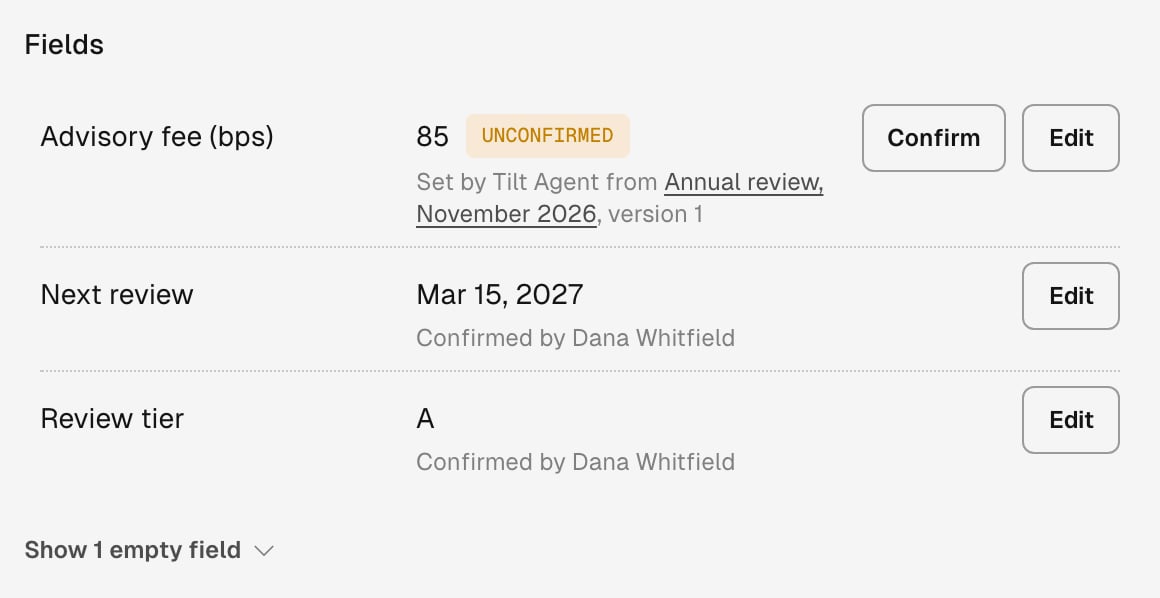
On the Okafor household, the advisory fee Tilt Agent set from the imported annual review waits for a person to confirm it.
Read what an account inherits
An account reads each field from the nearest record with a value: the account, then its client, its household, and the firm. A value from another record says From and names that record. The account’s Pages also list the pages it inherits, under Inherited from and the record’s name.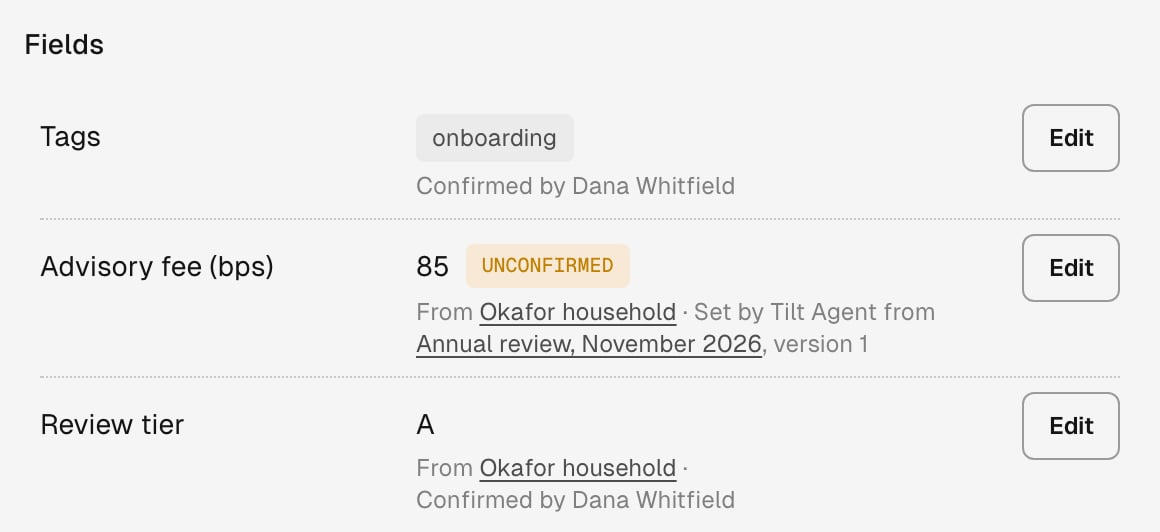
Okafor Joint keeps its own Tags. Its advisory fee and review tier come from the Okafor household.
See where a record was discussed
Discussed in, at the foot of a record’s Notes, lists the chats that discussed the record, sent from any of its tabs. A household’s list also takes its clients’ and accounts’ chats, a client’s list takes its accounts’ chats, and the firm’s list takes every record’s. Each entry names the record and tab it was sent from, such as Okafor Joint · Notes; select it to open the chat at that message. Pages whose current version links to the record appear in the same list, with that version’s number. Remove the link in a new version, and the page leaves the list. An open page has its own Discussed in for the chats about that page. To ask instead, try “Where have we discussed the Okafor household?”Notes, settings, and Memory
A page or field changes nothing Tilt enforces until someone applies a rule or setting. Tilt enforces an account’s Setup when it optimizes, your monitoring policies when it checks accounts, and your trade release rules when someone sends a proposal. A page records what the client wants. The Okafor IPS rules out tobacco producers, and that line excludes no ticker from any account. To apply it, change the account’s settings: add the tickers to No-hold tickers in the account’s Setup, or ask Tilt Agent to prepare that change as a change review. A field changes what Tilt does only through a rule that reads it, such as a trade release rule for accounts tagged onboarding. Conditions in Setup, monitoring policies, and trade release rules can read fields. A rule reads only values a person confirmed, in Notes or by applying a change review.- Applying a rule that reads a field also confirms that field’s unconfirmed values. The change review or Queued changes lists those values, so check them before you apply.
- Once a rule reads a field, a value someone saves or confirms in Notes counts for that rule.
- Tilt Agent changes a field that a rule reads only through a change review.