

Share a skill
Open Settings > Skills, select one of your skills, and turn on Share with organization.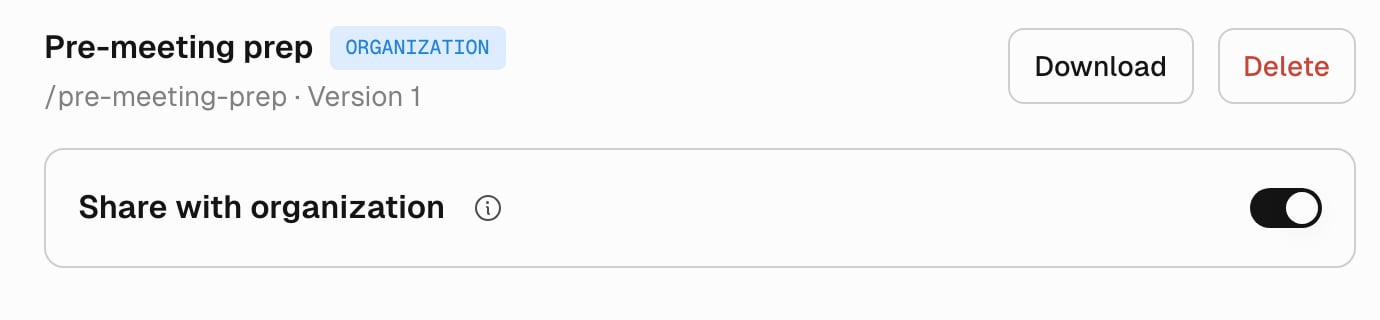
Share with organization on a skill you own.
/name, rename yours first.
To stop sharing, turn off Share with organization and select Stop sharing. The skill moves back to your skills, and other members stop using it on their next run.
What colleagues see
Organization skills comes first in each member’s Settings > Skills, and each row names who saved the version in use. Organization skills have no Enabled switch because they are always on.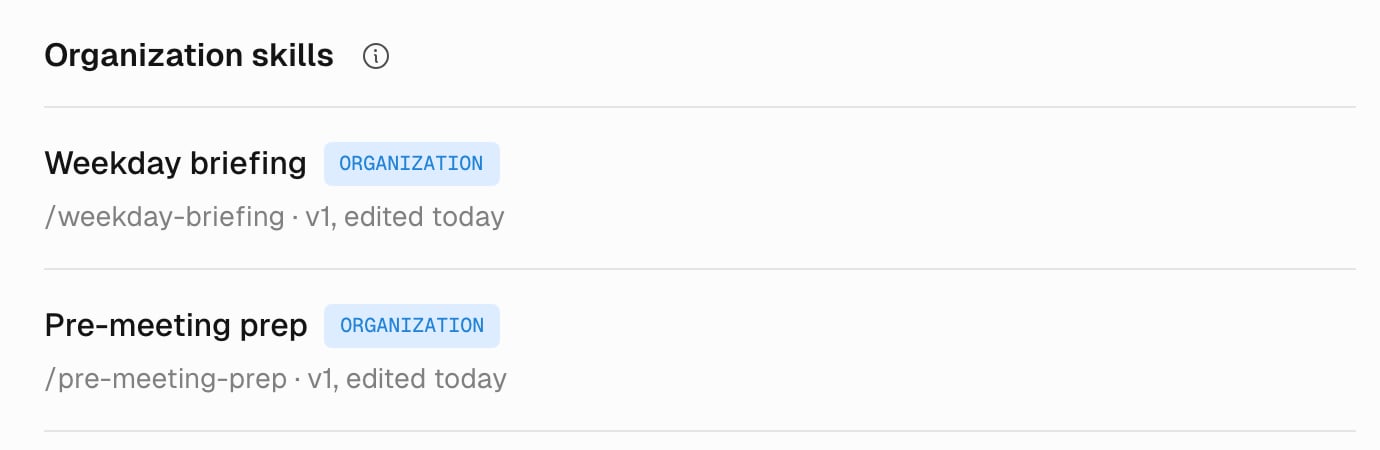
Settings > Skills after two skills are shared.
/name, Tilt loads the organization skill in its place. Their skill shows Not used: the organization skill with this name replaces it. To keep using it, they select Rename and give it a new name.
Members who aren’t owners or editors can open an organization skill and read its files and versions. For them, Share with organization is locked, and Delete and Restore don’t appear.
Edit an organization skill and review its versions
Owners and editors edit an organization skill the same way as a Personal Skill: on its Files tab, or by asking Tilt Agent to revise it. Each save creates a new version, and everyone gets it on their next chat or automation run. The Versions tab lists each version with who saved it and when. Select Restore on an earlier version to save it again as the newest one. Deleting an organization skill removes it and its versions for every member. You can’t undo a delete.Use an organization skill in an automation
An automation runs an organization skill by its/name, the same as any other skill. Write the /name in the automation’s instructions, such as /weekday-briefing. When an owner or editor saves a new version, the automation uses it from its next run.
Ask Tilt Agent to change an organization skill
In a chat, you can ask Tilt Agent to share one of your skills, stop sharing one, or edit, rename, restore, or delete an organization skill. Tilt Agent shows a card that names the skill and what the change does for your organization, and nothing changes yet. When the change adds or edits files, the card counts them and the lines added and removed.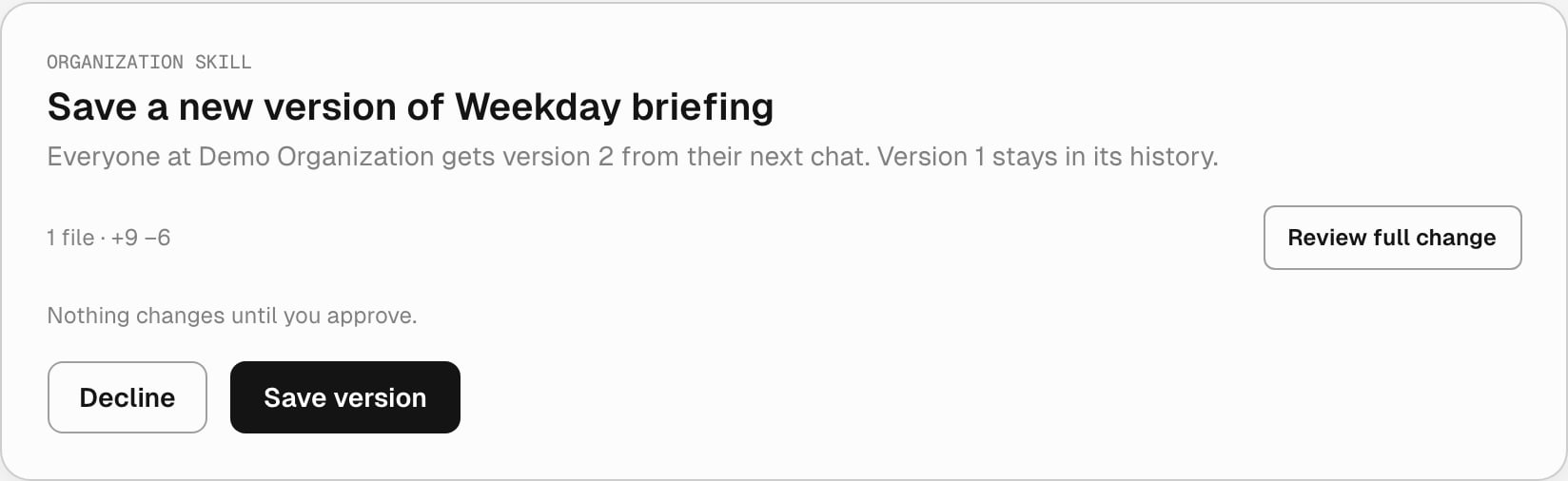
Tilt Agent asks before it saves a new version of an organization skill.
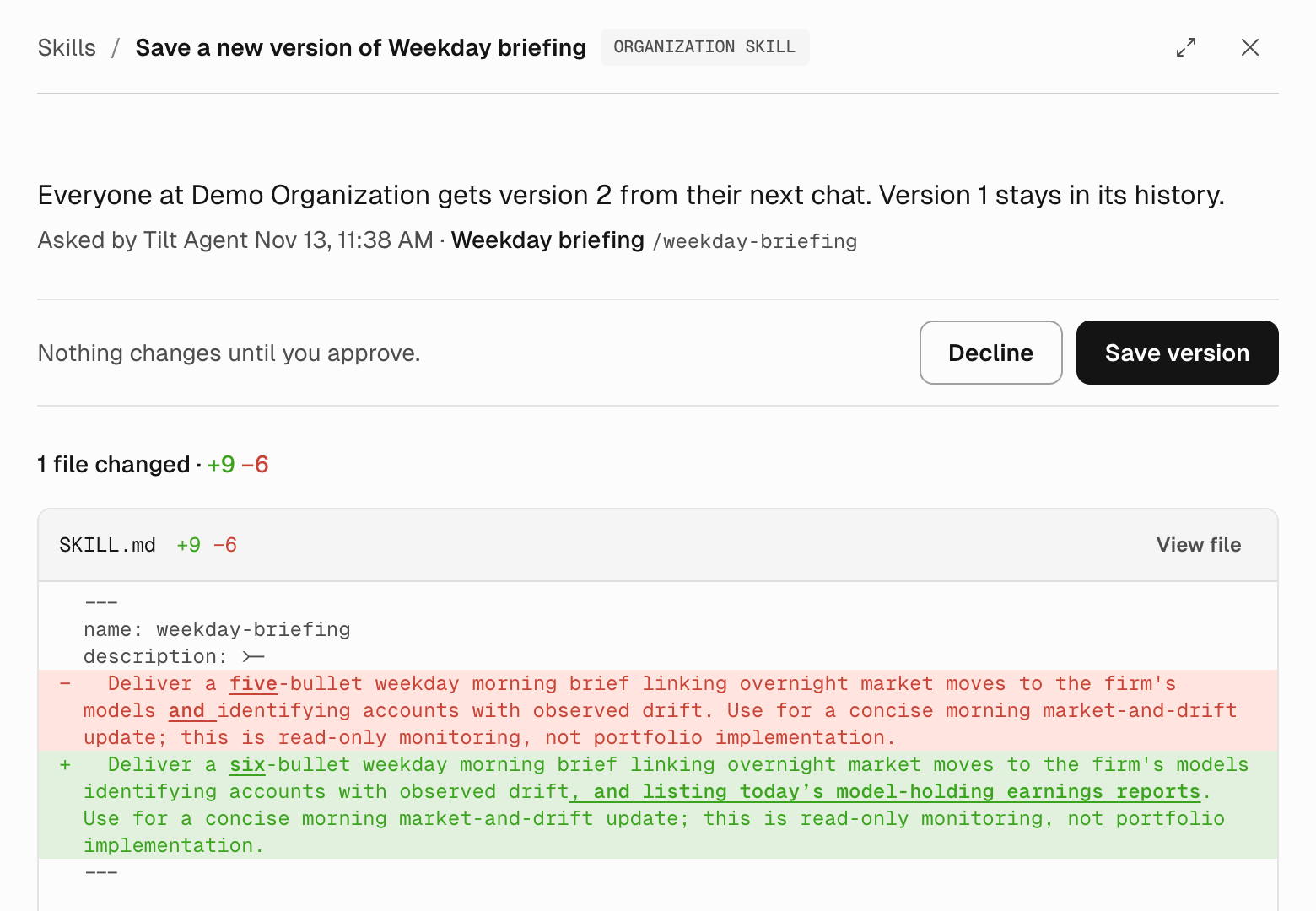
The full change, with the same Decline and Save version as the card.
Create a Personal Skill
Teach Tilt Agent a reusable workflow in a chat.
Create an automation
Run a skill on a schedule.