> ## Documentation Index
> Fetch the complete documentation index at: https://docs.tilt.now/llms.txt
> Use this file to discover all available pages before exploring further.
# Questions
> Give Tilt Agent the preferences it needs to move your work forward.
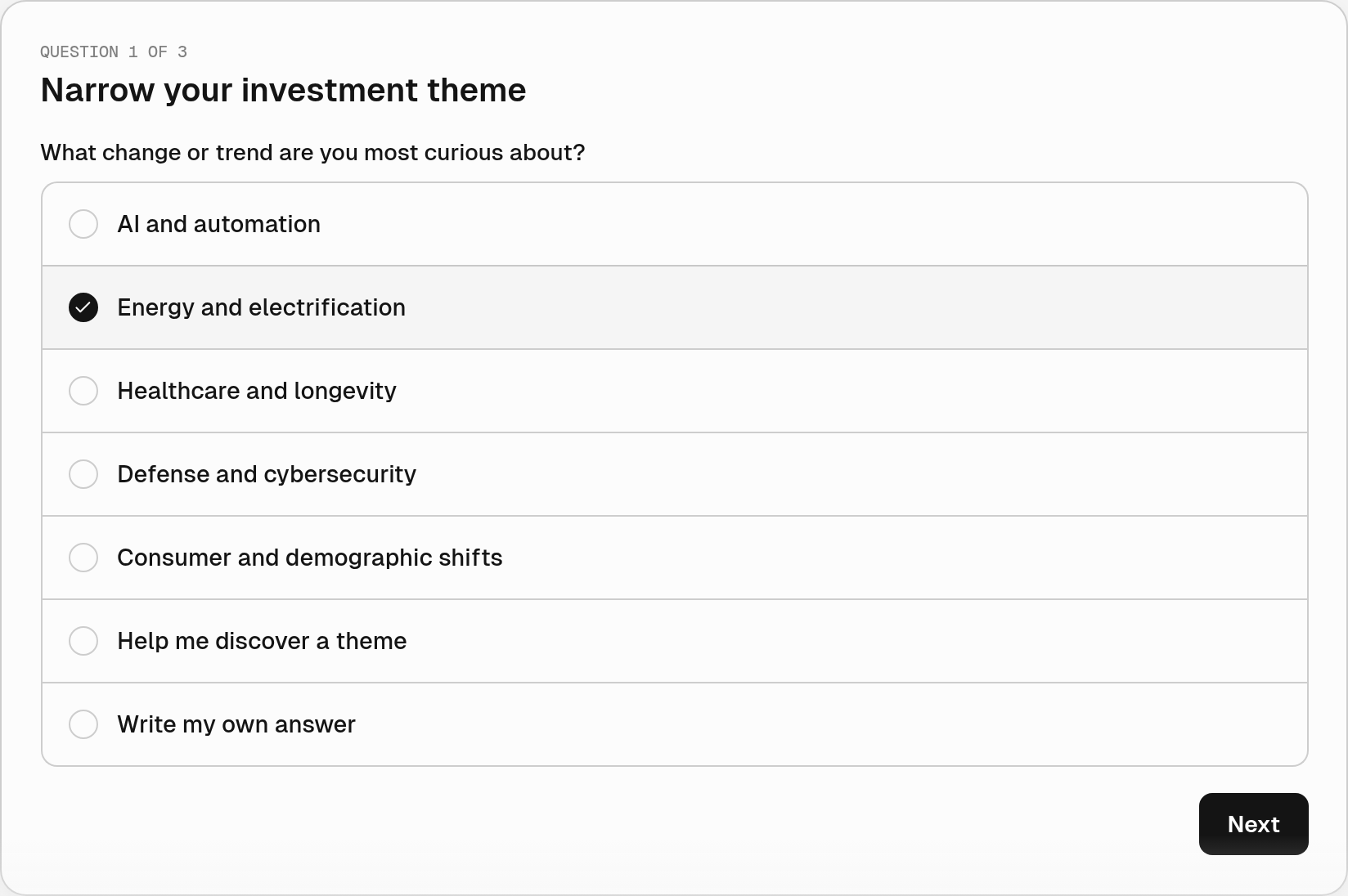
When a request could go in several directions, Tilt Agent can ask questions with selectable answers. Use them to choose a focus, set constraints, or decide how much detail you need.
 ## Answer in your own terms
Select the option that fits. Some questions allow multiple selections, and every question accepts a custom answer. You can also reply in the chat instead of using the card.
For a set of questions, use **Next** and **Back** to move between them. Select **Send answers** to send your choices together. Until then, you can change them.
Tilt Agent uses your answers to continue the conversation. Sending answers is a chat reply; the card itself does not save settings or execute an action.
## Ask for help deciding
Try:
> I want to research a new investment theme. Ask me a few questions to narrow it down.
Tilt Agent chooses when structured questions would help. To inspect a proposed saved change, ask for a [change review](/tilt-agent/change-reviews).
This documentation is built and hosted on [Mintlify](https://mintlify.com), a developer documentation platform.
## Answer in your own terms
Select the option that fits. Some questions allow multiple selections, and every question accepts a custom answer. You can also reply in the chat instead of using the card.
For a set of questions, use **Next** and **Back** to move between them. Select **Send answers** to send your choices together. Until then, you can change them.
Tilt Agent uses your answers to continue the conversation. Sending answers is a chat reply; the card itself does not save settings or execute an action.
## Ask for help deciding
Try:
> I want to research a new investment theme. Ask me a few questions to narrow it down.
Tilt Agent chooses when structured questions would help. To inspect a proposed saved change, ask for a [change review](/tilt-agent/change-reviews).
This documentation is built and hosted on [Mintlify](https://mintlify.com), a developer documentation platform.